01
Connect
Connect the controller to your computer using a USB-C data cable. Charging-only cables cannot transfer firmware.
 Marine RGB Light Controller
Firmware Installer
Install the latest firmware for the Marine RGB Light Controller directly from your browser. No Arduino IDE or additional programming software is required.
Requires Google Chrome or Microsoft Edge on Windows, macOS or Linux.
Installation
Connect the controller, install the firmware and complete the wireless setup. The complete process normally takes only a few minutes.
Connect the controller to your computer using a USB-C data cable. Charging-only cables cannot transfer firmware.
Select Install Firmware, choose the controller from the USB device list and confirm the installation.
After installation, connect to Marine RGB Setup, select your Wi-Fi network and complete the configuration.
Compatibility
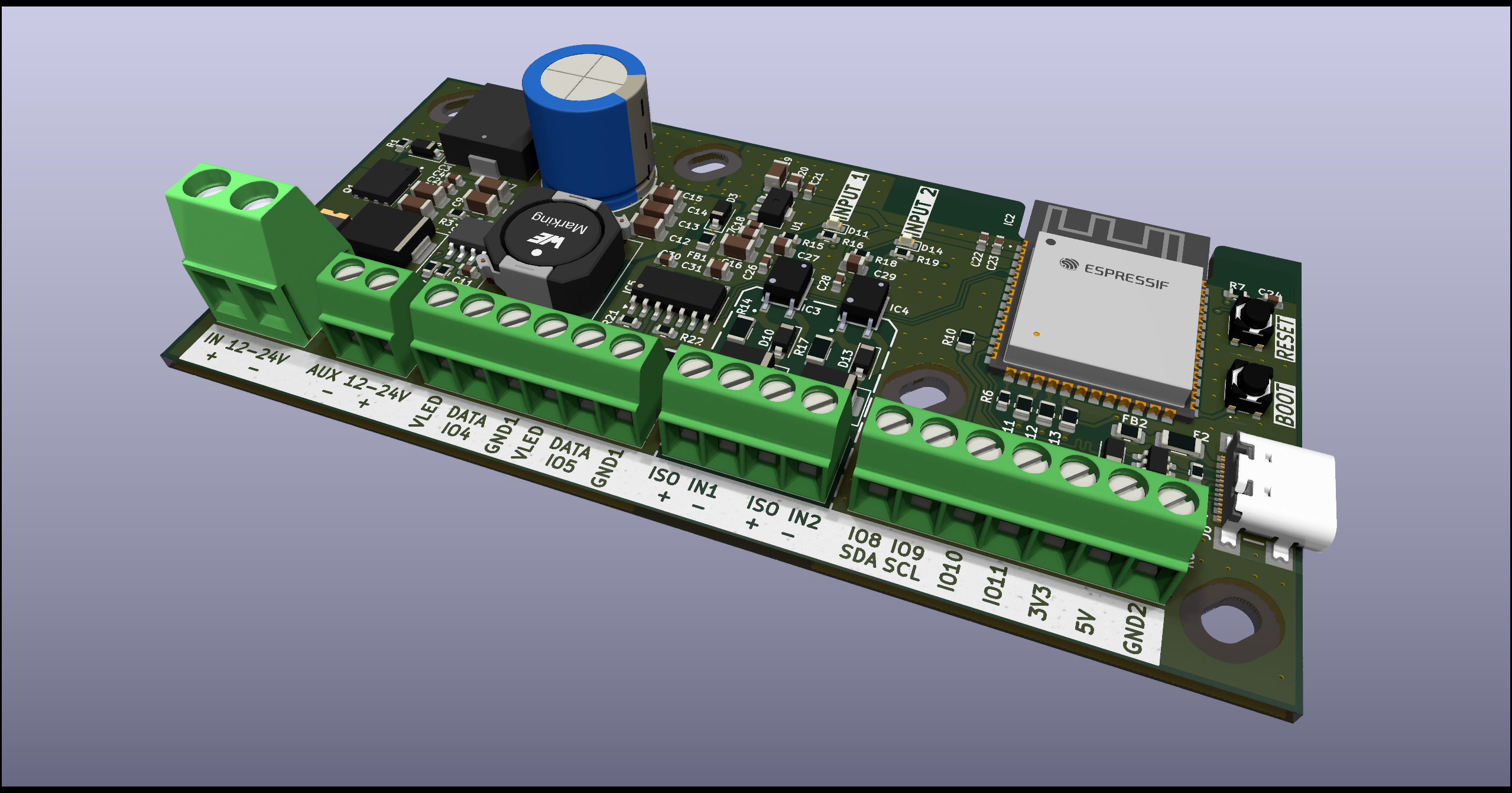
This installer is intended specifically for the hardware configuration shown below. Installing it on an incompatible board may result in incorrect pin assignments or unavailable features.
No device appears: Check that the USB cable supports data and reconnect the controller.
Installation fails: Close programs that may already be using the controller's serial port.
Controller does not enter installation mode: Hold the BOOT button while briefly pressing RESET, then try the installer again.